
How much could someone learn about your business without ever speaking to you?
It might be more than you think.
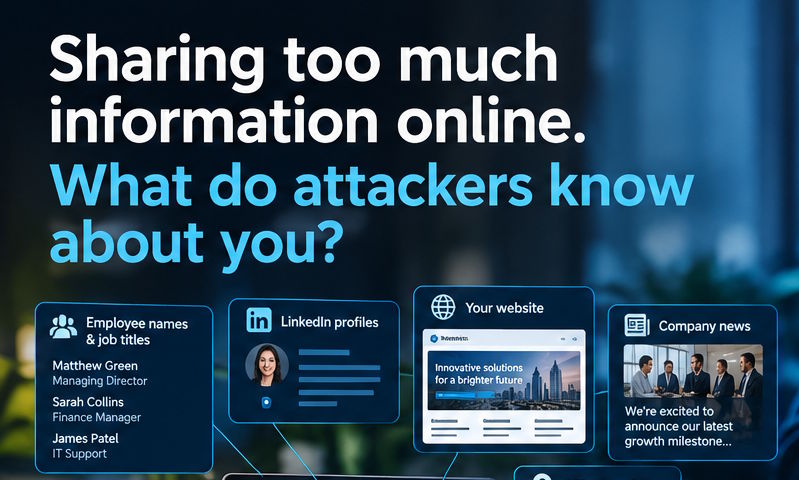
Search for your business online and you could quickly find your website, LinkedIn profiles, employee names and job titles, company news, photographs, customers, suppliers and even clues about the technology you use.
Individually, it might seem harmless. But when brought together, it can provide a cyber criminal with a surprisingly detailed picture of your business.
Your online information can be an attacker’s starting point
This is known as open-source intelligence (OSINT) – information that is freely available online and can be collected and used to build a picture of a person or organisation.
An attacker doesn’t need to hack into your systems to find useful information. They can simply search for it.
They might discover:
- Who works for your business and what they do
- Who your directors, customers and suppliers are
- What software and services you use
- Where your offices are located
- When employees are away
- Details about your business processes
- Photos showing your offices, equipment or documents
From harmless information to a convincing phishing attack
Imagine an attacker discovers that your Finance Manager is called Sarah, your Managing Director is called Matthew, and your business uses Microsoft 365.
They might also discover that Sarah is currently away on holiday because someone posted a photograph on social media.
That gives them useful information for a targeted phishing attack.
Instead of sending a generic message saying: “Your Microsoft 365 account has been suspended. Click here.”
They could create something much more convincing: “Hi Matthew, Sarah asked me to send this over while she’s away. Can you take a look at the attached invoice?”
The more an attacker knows, the more believable their story can become. That’s what makes targeted attacks particularly dangerous.
AI is making the problem worse
Attackers have always been able to gather information online. The difference now is how quickly they can do it. AI can analyse large amounts of publicly available information and turn it into useful intelligence, helping attackers create convincing, personalised emails and messages at scale.
That means the old warning signs such as poor spelling, strange wording and obviously generic messages aren’t always there anymore.
A phishing email can look professional, genuine, relevant and completely believable.
It’s not about hiding everything
The answer isn’t to stop using social media, remove your website or never post a photograph of your team. Your online presence is an important part of running a business – you don’t need to disappear from the internet.
The key is to be aware of what you’re sharing and who might be able to use it.
It’s worth encouraging your team to think before publicly sharing information about:
- Holidays and periods of absence
- Internal processes and procedures
- Company systems and software
- Office layouts and security arrangements
- Colleagues and their responsibilities
- Screenshots containing potentially useful of sensitive information
This doesn’t mean banning social media. It means making your team security-aware.
How we can help
There is no single solution that will stop every cyber attack. Good cyber security is about layers of protection – combining knowledgeable people, good processes and the right technology.
We can help small businesses put those layers in place.
They can include:
- Security Awareness Training: giving your team the knowledge to recognise phishing, social engineering and other common threats.
- Email Security: protecting your business against malicious emails, phishing attempts, dangerous links and impersonation.
- Managed Detection & Response (MDR): going beyond traditional antivirus with monitoring and investigation designed to identify suspicious activity and respond to threats.
- DNS Filtering: when someone tries to visit a website, DNS filtering checks the address against databases of known malicious or risky websites. If the site is considered dangerous, access can be blocked before the connection is made.
- Microsoft 365 security: strengthening the security of your Microsoft 365 environment, including accounts, email and cloud services.
Find out more about our Cyber Security services here.
Don’t wait for an attacker to target you
Your business is already sharing information online. The question is who else is paying attention?
At Expert IT, we can help you understand where your risks are and put practical security measures in place to protect your business. Want to know more? Get in touch us today.